Saving, files and settings
Save and open pets, export, and every section of the Settings panel.
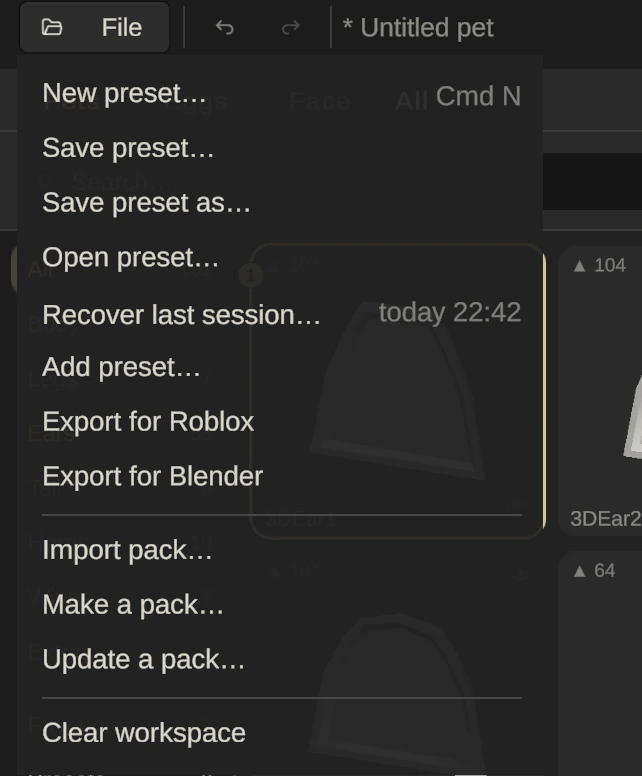
The File menu
| Command | Keys | What it does |
|---|---|---|
| New preset… | Ctrl/⌘ N | Starts an empty pet, asking to save first |
| Save preset… | Ctrl/⌘ S | Saves the pet as a .altushka file |
| Save preset as… | Shift Ctrl/⌘ S | Saves under a new name |
| Open preset… | Ctrl/⌘ O | Opens a saved pet |
| Recover last session… | Opens the newest autosave and shows when it was written. It only appears while autosave is on in Settings | |
| Add preset… | Adds another pet’s parts into this one | |
| Export for Roblox | Ctrl/⌘ E | Writes the model and its setup script |
| Export for Blender | Writes a .glb to open in Blender | |
| Import pack…, Make a pack…, Update a pack… | Shares sets of parts as packs | |
| Clear workspace | Removes every part (you can undo it) |
File commands are greyed out while Paint or VFX is open; press Done first. Exporting gets its own guide: Importing your pet into Roblox Studio.
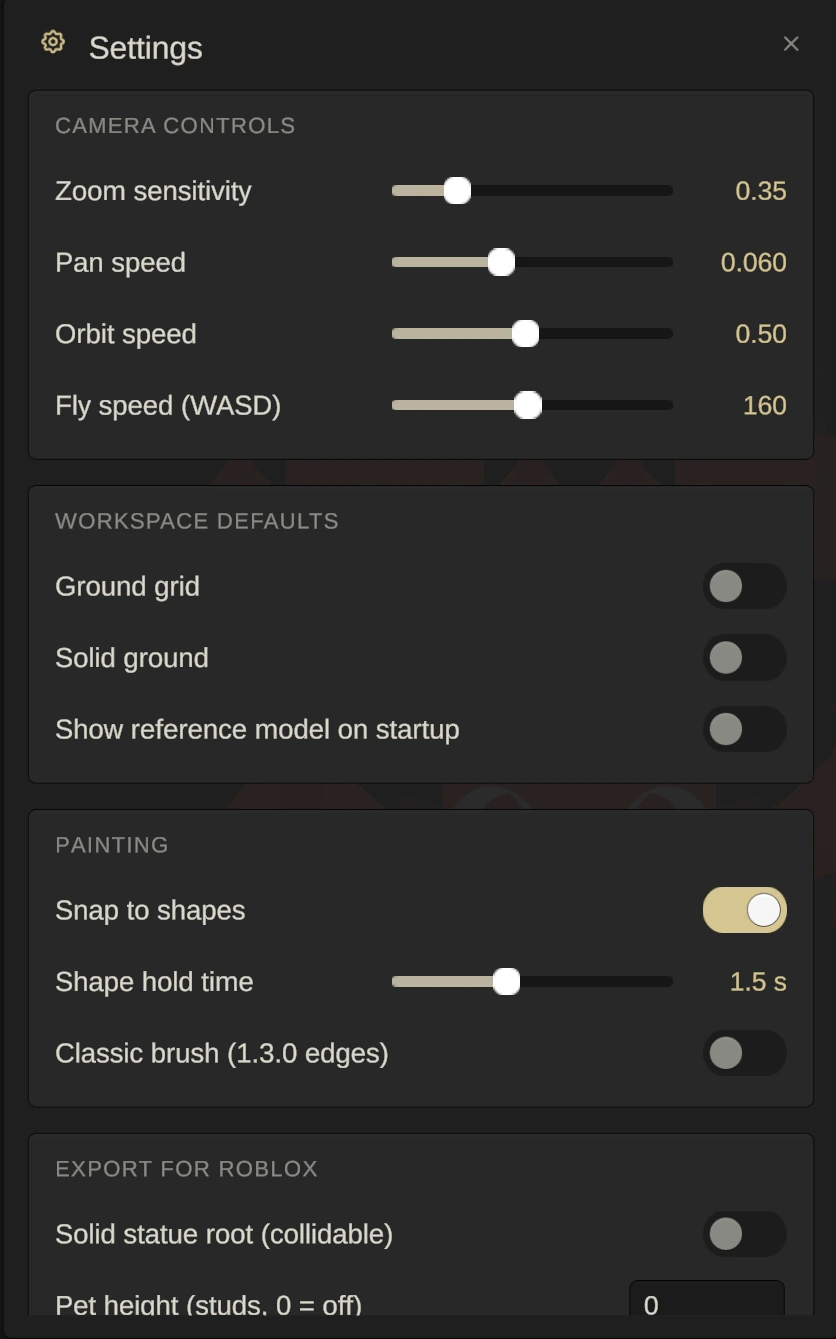
Settings
Open Settings with the gear at the top right.
- Camera controls: zoom, pan, orbit and fly speeds.
- Workspace defaults: ground grid, solid ground, and showing the R6 reference at startup.
- Painting: Snap to shapes, Shape hold time, and Classic brush (the brush edges from version 1.3.0).
- Export for Roblox: a solid statue root, the pet’s height in studs (0 is off), keeping the Roblox Studio plugin installed, and saving a preset with every export.
- Files & recovery: remembering your export folder, autosave every few minutes, and an Open folder button for the autosaved workspaces. Autosave is what puts Recover last session… in the File menu.
- Storage: how much is cached on your computer, and Clear cache.
- Appearance & layout: the selection outline, and resetting the panel layout.
- Interface colours: the app’s colour theme.
- About & legal: the app version, the Terms of Service, the Privacy Policy and the third-party notices.