Shape: Bumps and Real shape
Choose per part whether a material's relief is only lit, left out, or becomes the part's real outline.
Three ways to show relief
Many materials have relief: scales, bricks, stitches and cracks that stand up from the surface. The Shape box on the right dock’s Finish page decides what the selected painted part does with it in Roblox. It stays greyed out, with No painted parts yet, until you have painted a part with a material, and it is set per part. Real shape needs a material with height: on a flat painting the box says so and keeps Real shape greyed out.
- Off: colour only. The painted relief is left out, so the part is smooth here and in Roblox.
- Bumps: the painted relief ships as a normal map on the part’s unchanged mesh, so it is drawn with light and the outline stays as modelled. This is the default.
- Real shape: the relief is raised into real geometry, simplified to fit Roblox, with a normal map re-baked for the detail too fine to carry. The part’s outline becomes the material.
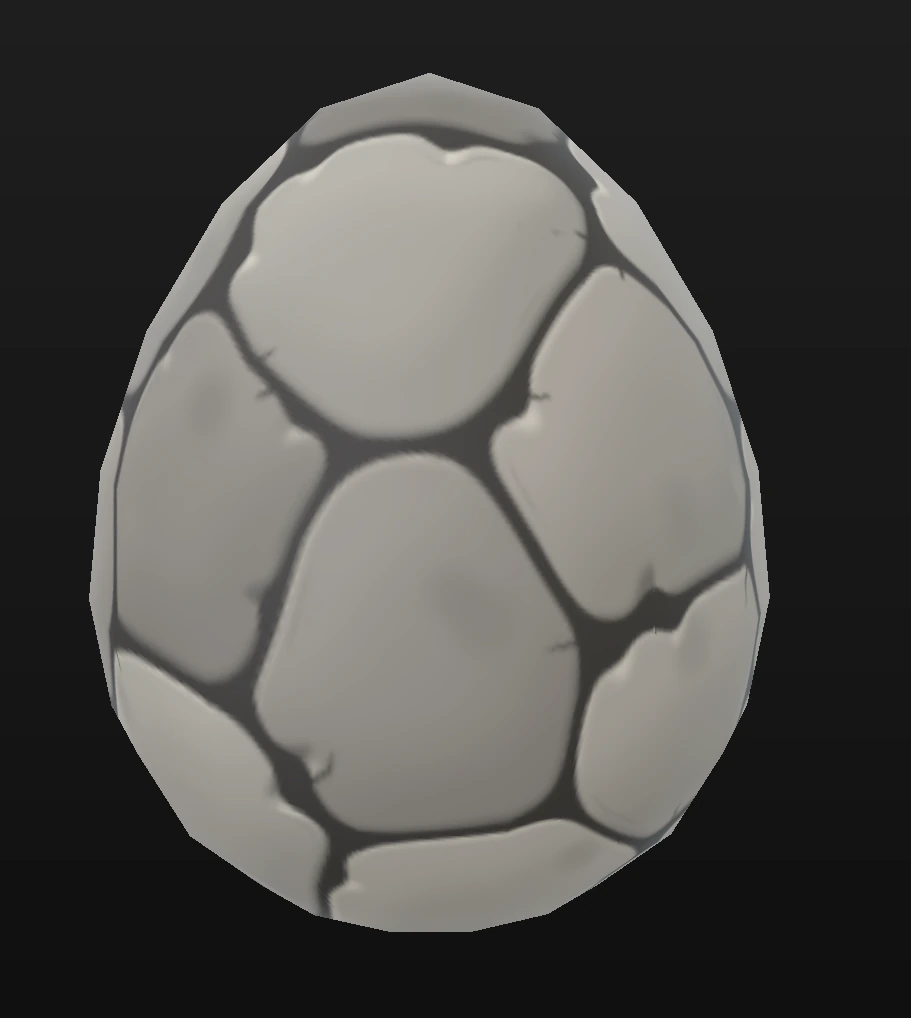
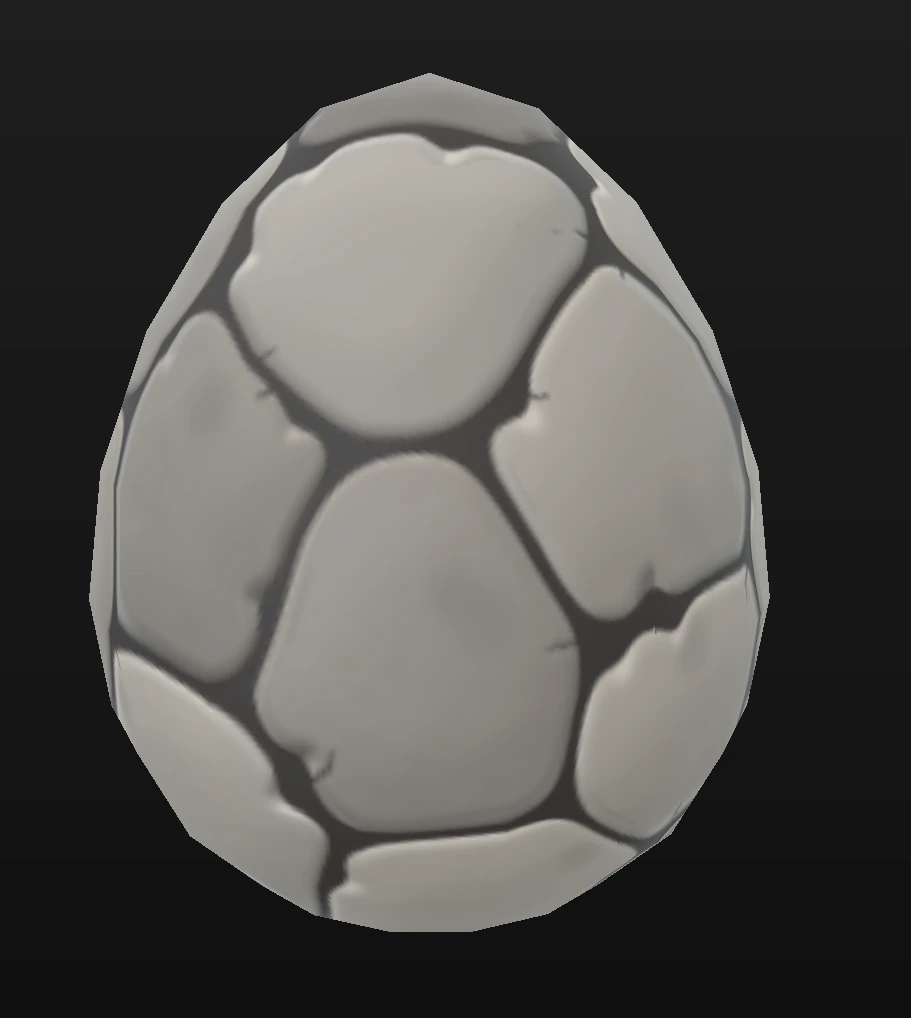
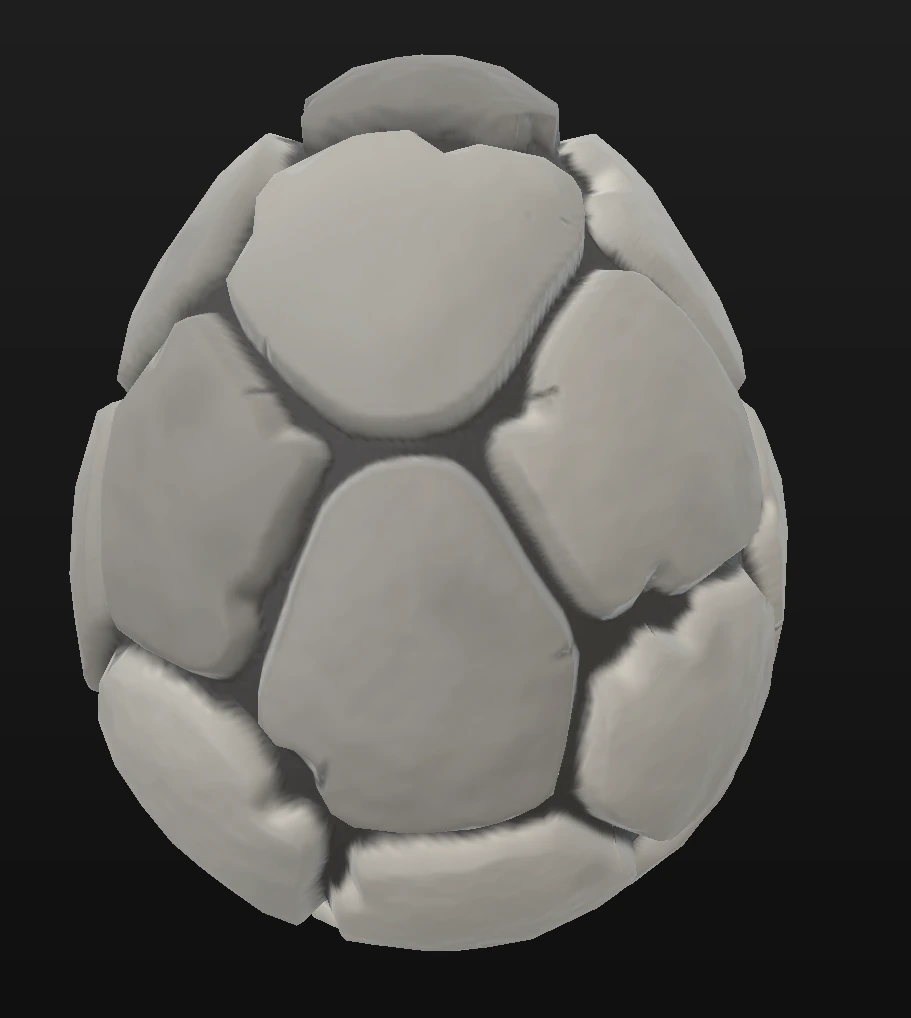
Worn Stone Plates on an egg, three ways: Off, Bumps and Real shape.
With several painted parts selected, the box reads All 2 painted parts. If they have different shapes it says so; pick one to set them all.
Real shape
Real shape changes the mesh, so it has controls and a budget.
- Depth is how far the painted relief rises out of the part. 100 % is the tested egg, and it runs from 0 to 200 %.
- Detail is how closely the mesh follows the relief, from Lighter (fewer triangles) to Sharper. Auto picks for you, choosing the lowest count that keeps the shape; turn it off to set Detail yourself.
- Triangles shows how many triangles the part now has against Roblox’s limit of 20,000 per part. The footer’s export count and the Roblox OK light follow it.
Real shape follows your painting and updates when the stroke ends. A part set to Real shape gets a small mountain mark in the parts list, which says this part changes outline on export.
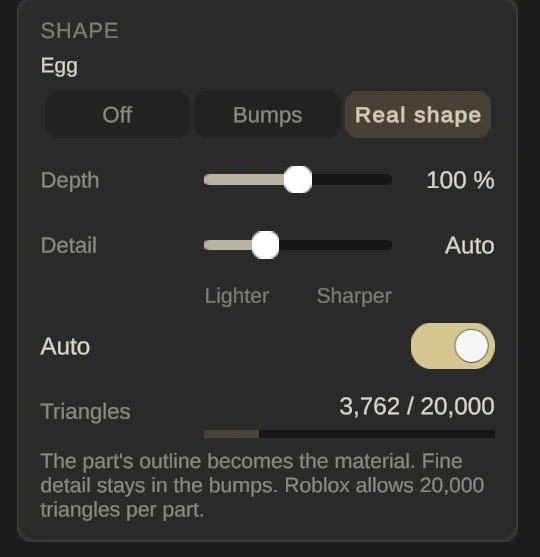
Use Real shape where the silhouette matters, such as scales or bricks, and keep Bumps everywhere else: the same look costs no extra triangles. The shortcuts card lists it as Real shape in Roblox: Finish page, Shape. Four of the things you can grow (Craters, Pumpkin, Gem and Beehive) shape the part’s own surface, so they only work while Shape is Off or Bumps.
Height on the Material page is the bumps dial: how deep the relief looks before Shape decides how to ship it. See Materials.